
Last updated on
Nov 10, 2026

GA Form 3940 2016 free printable template
pdfFiller is not affiliated with any government organization

Fill out
Complete the form online in a simple drag-and-drop editor.

eSign
Add your legally binding signature or send the form for signing.

Share
Share the form via a link, letting anyone fill it out from any device.

Export
Download, print, email, or move the form to your cloud storage.
Why pdfFiller is the best tool for your documents and forms


End-to-end document management
From editing and signing to collaboration and tracking, pdfFiller has everything you need to get your documents done quickly and efficiently.
Accessible from anywhere
pdfFiller is fully cloud-based. This means you can edit, sign, and share documents from anywhere using your computer, smartphone, or tablet.
Secure and compliant
pdfFiller lets you securely manage documents following global laws like ESIGN, CCPA, and GDPR. It's also HIPAA and SOC 2 compliant.
What is GA Form 3940
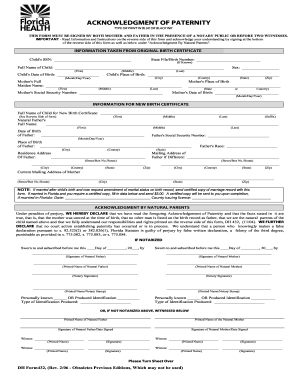
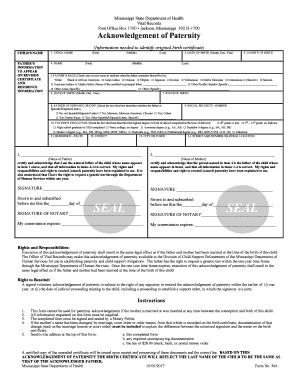
The Paternity Acknowledgement Form 3940 is a legal document used by parents in Georgia to establish a child's paternity and add the biological father's name to the child's birth certificate.
pdfFiller scores top ratings on review platforms




Very reliable software. Very clears terms of subscription and easy to cancel. Excellent !
great company make tax processing very easy
Who needs GA Form 3940?
Explore how professionals across industries use pdfFiller.

GA Form 3940 is needed by:
-
Unmarried parents seeking to establish legal paternity
-
Fathers who want their names added to birth certificates
-
Mothers who need to acknowledge the father for legal purposes
-
Attorneys specializing in family law
-
Notaries required for notarization of the document
Comprehensive Guide to GA Form 3940
What is the Paternity Acknowledgement Form 3940?
The Paternity Acknowledgement Form 3940 is a crucial legal document used in Georgia to establish paternity for a child. This form allows the biological father’s name to be added to the child’s birth certificate, making it a vital step in the recognition of legal fatherhood. Signing this document requires attention to specific details, including the need for notary signatures and the importance of understanding the short rescission period of 60 days from the signing date. The form primarily emphasizes the establishment of legal paternity acknowledgment.
Why Use the Paternity Acknowledgement Form 3940?
Utilizing the Paternity Acknowledgement Form 3940 carries significant benefits for both parents and their child. Establishing legal fatherhood through this form secures the child's rights related to inheritance, custody, and child support. Additionally, completing this form facilitates the process of obtaining a birth certificate that accurately reflects paternal identity, which is essential for legal documentation and identification. By using the form, both parents can ensure that the child’s best interests are represented legally.
Key Features of the Paternity Acknowledgement Form 3940
The Paternity Acknowledgement Form 3940 consists of several fillable sections designed to capture essential information. Key features include:
-
Fields for the child's name, date of birth, and parental information.
-
A checkbox to indicate the child's sex.
-
Signature lines for both parents and the notary.
-
Clear instructions for signing and notarizing the document to ensure legal compliance.
Who Needs the Paternity Acknowledgement Form 3940?
This form is applicable to any unmarried parents looking to establish paternity formally. The eligible signers include both the mother and father, along with a notary who validates the signatures. Scenarios such as having a child outside of marriage necessitate the completion of this form. Failing to complete it may lead to complications in child custody, support rights, or the child's legal status.
How to Fill Out the Paternity Acknowledgement Form 3940 Online
Filling out the Paternity Acknowledgement Form 3940 online can be efficiently achieved using pdfFiller. Follow these steps:
-
Access the form on the pdfFiller platform.
-
Fill out the fields, providing the child's name, birth details, and parent information.
-
Save the completed form in your desired format.
To avoid common mistakes, double-check each field for accuracy before submission, as errors may delay processing.
Signing and Notarizing the Paternity Acknowledgement Form 3940
Proper execution of the Paternity Acknowledgement Form 3940 requires understanding the importance of wet signatures. Digital signatures may not be accepted for legal documents in this context. Parents must find a notary to verify the signatures, ensuring compliance with Georgia requirements. The notary must witness both parents signing the document to make it legally binding.
Where to Submit the Paternity Acknowledgement Form 3940
Once completed, the Paternity Acknowledgement Form 3940 must be submitted to the local vital records office. Parents should be aware of any associated fees for processing the form and how to manage payments. It’s essential to submit the document within specified timeframes to avoid delays in legal recognition.
What Happens After You Submit the Paternity Acknowledgement Form 3940?
After submitting the Paternity Acknowledgement Form 3940, parents can expect a confirmation of receipt. The processing of the form typically follows a set timeline, which can vary. To check the status of the submission, parents should keep in contact with the vital records office. If there are any issues with the form, guidance will be provided on how to amend or correct it effectively.
Trust pdfFiller for Your Paternity Acknowledgement Form Needs
pdfFiller offers a secure and user-friendly platform for completing the Paternity Acknowledgement Form 3940. With features that include easy access to fillable forms, the platform ensures document security and compliance with privacy regulations. Users can efficiently edit, eSign, and manage their documents, providing peace of mind when handling sensitive information.
How to fill out the GA Form 3940
-
1.Access pdfFiller and search for the Paternity Acknowledgement Form 3940 in the template library.
-
2.Open the form and familiarize yourself with all fields and sections labeled clearly for easy navigation.
-
3.Before filling in the form, gather necessary information including the child’s name, date of birth, and both parents’ information and addresses.
-
4.Complete the fields for the child's name, date of birth, and the names of both parents, ensuring accuracy and clarity in your entries.
-
5.Use the checkboxes to specify the child's sex and double-check details before moving on.
-
6.Sign in the designated areas provided for both parents and ensure the notary section is left blank for later completion.
-
7.Once all information is accurately filled out, review the entire form for any errors or missing information. Make necessary revisions before finalizing.
-
8.Save your completed form on pdfFiller in your account or download it directly to your device.
-
9.If needed, submit the form through pdfFiller’s submission options or follow the directions provided for physical submission.

Who is eligible to use the Paternity Acknowledgement Form 3940?
The Paternity Acknowledgement Form 3940 is intended for unmarried parents in Georgia who wish to establish legal paternity for their child. Both the mother and father must agree and sign the form.
What are the requirements for signing the paternity form?
Both parents must be present to sign the Paternity Acknowledgement Form 3940 in front of a notary. Each signatory must provide valid identification and ensure the information is accurate.
How can I submit the Paternity Acknowledgement Form?
After completing the form, review it for accuracy and sign. You may submit it through the appropriate county office or Vital Records department, as dictated by Georgia law.
What is the turnaround time for processing the paternity acknowledgment?
Processing time for the Paternity Acknowledgement Form 3940 varies by county but typically takes a few weeks. Check with your local Vital Records office for specific timelines.
Are there any fees associated with filing this paternity form?
Filing fees for the Paternity Acknowledgement Form 3940 can vary depending on the county in Georgia. It’s best to contact the relevant office for accurate fee assessments.
Can the paternity acknowledgment form be modified after signing?
Once the Paternity Acknowledgement Form 3940 is signed and filed, it can only be challenged or rescinded within a specific period, usually within 60 days, under Georgia law.
What common mistakes should be avoided when completing this form?
Common mistakes include missing signatures, incorrect entries for parent names, and not having the form notarized. Always double-check all fields to ensure completeness and accuracy.
GA Form 3940 Form Versions
Related Content
Related Forms


Get the latest insights from our blog


If you believe that this page should be taken down, please follow our DMCA take down process
here
.
This form may include fields for payment information. Data entered in these fields is not covered by PCI DSS compliance.